
01
Choose a product
Customers browse the public catalog, compare apparel blanks, colors, brands, sizes, and print options before starting an order.
InkDeks connects the customer website, product catalog, artwork review, proof approval, invoices, production status, and support messages in one professional print shop workflow.
Each step is designed to reduce manual messages, keep approvals clear, and help customers understand what happens next.
Customers browse the public catalog, compare apparel blanks, colors, brands, sizes, and print options before starting an order.
The customer uploads design files, chooses placement, enters quantities, and adds notes so the production team has a clean starting point.
Design staff prepare previews or proof files. Customers can approve, request revisions, and keep decisions attached to the order.
Invoices and payment status stay connected to the order, reducing manual follow-up before production begins.
Approved orders flow into the admin and design workspace with status updates, files, customer notes, and production context.
Customers can follow order progress, receive tracking updates, and repeat successful orders with less back-and-forth.
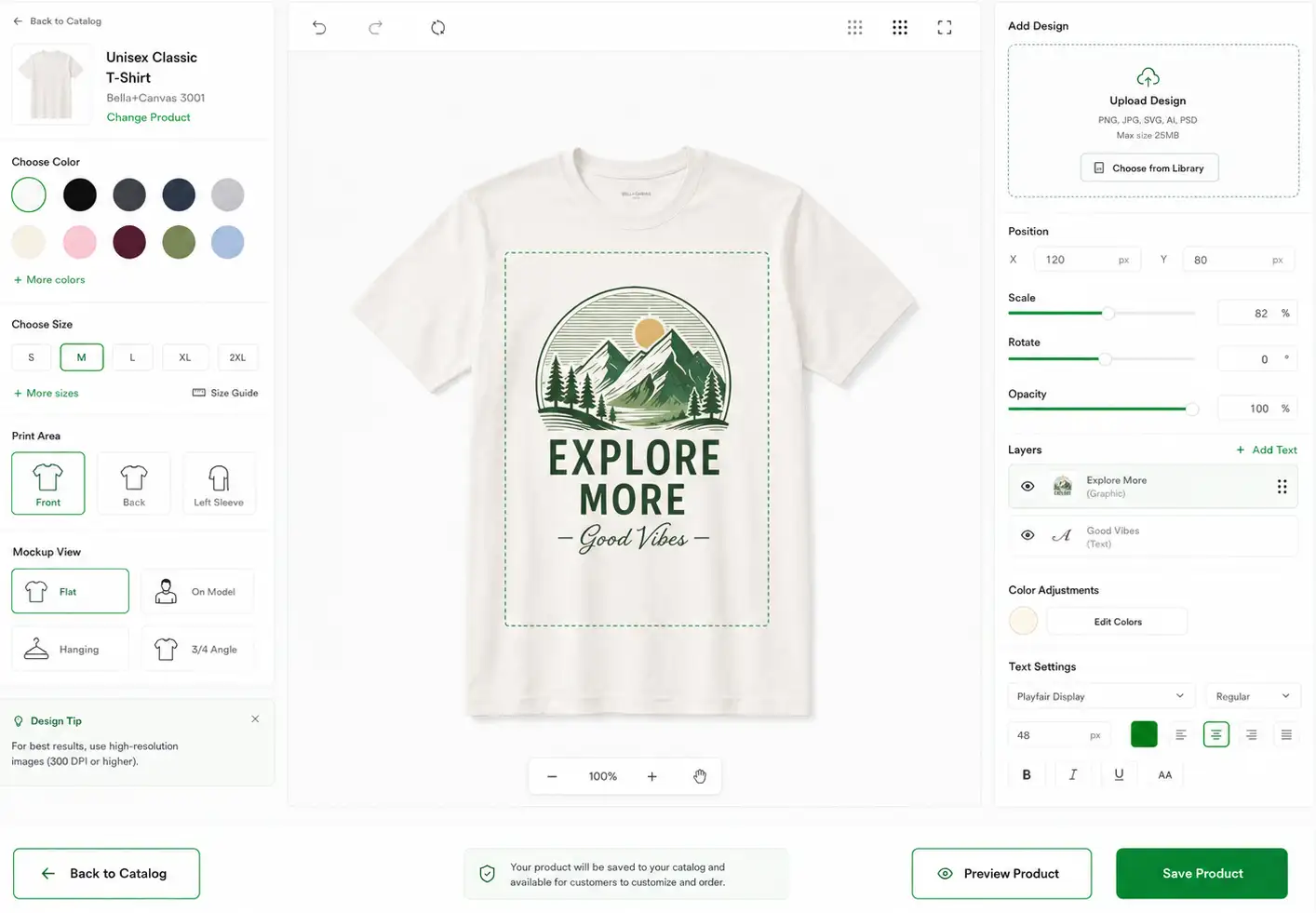
Instead of collecting requirements across chat threads, email attachments, and manual spreadsheets, the portal keeps the core production context attached to the customer order.
InkDeks is organized around the people who touch the order: customer, admin team, and design department.
Use this page to explain the process clearly before customers or print shop buyers start using the demo.
Yes. The catalog and order flow are built so customers can start with product selection, artwork upload, and order notes before staff follow up.
Proof review is part of the customer workflow. The goal is to keep approval decisions visible before an order enters production.
Yes. Logo, colors, content, product catalog, menu structure, footer links, and page copy can be adjusted for a specific print shop.
Prepare product data, brand assets, payment setup, business contact details, legal copy, shipping rules, and team responsibilities.
Start from the catalog or review the feature videos to understand how customers, admin staff, and designers move through the system.